AI Influencer
AI Influencer 2026
AI animation, AI brand collaborations, AI business ideas for beginners, AI content creation tools, AI content creator, AI entertainment, AI entrepreneurship 2026, make money with AI, Rise of AI Influencers, Social media trends, Virtual influencers
AI Influencer
0 Comments
How to Create Realistic AI Influencers: A Complete Step-by-Step Workflow
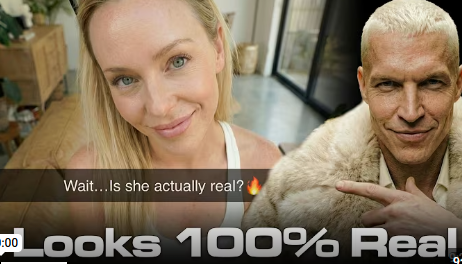
How to Create Realistic AI Influencers: A Complete Step-by-Step Workflow
Artificial intelligence has transformed content creation, and AI influencers are among the most exciting applications. This complete workflow covers every stage of building a photorealistic AI influencer — from character design and product integration to video animation and post-production — using today’s best tools.
What Is an AI Influencer and Why Does It Matter?
An AI influencer is a fully synthetic digital persona that creates social media content, promotes products, and builds audiences — all without a human on camera. For brands and creators, this means lower production costs, complete creative control, and content that scales.
The key to success is realism. The more lifelike the result, the higher the engagement, conversions, and trust.
The Best Tools for Creating AI Influencers in 2026
The most efficient end-to-end workflow currently centers on Arcads, a platform that handles image generation, fashion try-ons, skin enhancement, and final video output in one place. For animation, Kling 3.0 and Google VEO 3.1 are the leading video generation models.
Step 1: Design a Consistent AI Character and Location
Consistency is the single most important factor in AI influencer creation. If the character’s face or background shifts between shots, viewers immediately notice — and the illusion breaks.
How to build consistency:
- Use tools like Cosmos or Pinterest to gather visual references and define your influencer’s aesthetic
- Feed a reference image into ChatGPT with a structured prompt to extract a clean, detailed description for your AI image model
- Generate a foundation frame — one base image you like — and use it as a reference for every subsequent shot (sitting, adjusting the camera, holding a product). This locks in the character’s face, clothing, and room.
Pro tip: Detailed prompting is everything. The more specific the instruction (lighting, clothing texture, facial expression, room decor), the less variation between generations.
Step 2: Integrate Real Products and Fashion
One of the most commercially valuable capabilities in this workflow is having the AI influencer interact with real-world products.
- Text-based product placement: Simply add product details to your prompt — for example, “she holds a small black Louis Vuitton purse” — and the AI will naturally incorporate the item while preserving the character’s appearance.
- Image-based product overlay: Upload a photo of a specific product (like a pair of sunglasses) and instruct the AI to generate the character wearing it. This is ideal for fashion and beauty brand partnerships.
Step 3: Animate Your AI Influencer With Video AI
Static images become scroll-stopping content once animated. Use Kling 3.0 or Google VEO 3.1 to generate short video clips from your still frames.
Key animation techniques:
- Start and End Frames: Upload two consecutive shots as the start and end frame inputs. The model interpolates a smooth, natural transition between them.
- Lock the voice: Always specify accent and voice profile in your prompt (e.g., “female actress, mid-20s, strong Californian accent”) to prevent vocal inconsistency across clips.
- Shoot POV/selfie style: A “selfie POV” shot — where the influencer walks toward a couch and sets the phone down — mimics raw, organic user-generated content (UGC) and dramatically increases perceived authenticity.
Step 4: Post-Production — Where Realism Is Made or Lost
The final 10% of the production process accounts for 90% of the realism. Do not skip this stage.
- Edit in CapCut: Trim the beginning and end frames of each clip (these tend to be the most unstable) and connect scenes with clean cuts.
- Layer ambient sound: Add background noise, subtle movement sounds (like a phone being set on a table), and audio “whooshes” between cuts. Sound design is what grounds a video in physical reality.
- Apply a smartphone filter: Add a subtle Snapchat-style filter in CapCut to replicate the natural imperfections of a real phone camera. Overly crisp AI video often reads as artificial — this step neutralizes that.
Common AI Influencer Mistakes to Avoid
- Inconsistent faces between shots — always use a foundation frame reference
- Ignoring sound design — silent or music-only AI video feels flat and fake
- Skipping iteration — if a hand looks unnatural or a limb clips through an object, regenerate and refine the prompt. One bad frame can undermine an otherwise perfect video.
Final Thoughts: The Future of AI Content Creation
AI influencer creation is no longer experimental — it’s a viable, scalable content strategy. With the right tools (Arcads, Kling, CapCut) and a disciplined workflow, creators can produce brand-quality video content that audiences engage with authentically.
The technology will only improve. Starting now means building the skills and systems before this space becomes saturated.
For the specific prompt templates used in this workflow, watch the full tutorial: How I Create AI Influencers That Look 100% Real


Post Comment