How to Build Your First AI Character: A Step-by-Step Guide Using Open Art
How to Build Your First AI Character: A Step-by-Step Guide Using Open Art
Meta Description: Learn how to create consistent, realistic AI characters from scratch using Open Art. This step-by-step guide covers character creation, talking videos, motion sync, and 3D world building — no experience needed.
If you’ve ever wanted to create a digital persona without being on camera — or build a fictional character for a brand, story, or content series — AI has made it more accessible than ever. But the hardest challenge has always been consistency: getting your character to look the same across hundreds of different images and videos.
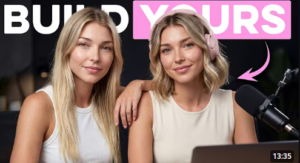
In her tutorial “How to Build Your First AI Character – Step by Step,” Isa from the YouTube channel Isa Does AI walks through a professional-grade workflow using Open Art, an all-in-one platform that handles everything from character design to 3D world building — inside a single tool.
Here’s everything covered in the tutorial.
What Is Open Art and Why Use It for AI Character Creation?
Open Art is an AI creative platform that consolidates the full character production pipeline into one place. Instead of jumping between separate tools for image generation, video creation, and animation, you can manage your entire character — and their world — from a single dashboard.
The key feature that makes it stand out for character work is consistency. One of the biggest frustrations with AI image generation is that the same character looks slightly different every time. Open Art’s character system is specifically designed to solve that problem.
Step 1: Choose Your Character Creation Method
Open Art offers three distinct approaches to building a character, each suited to a different use case.
Method 1: Describe Your Character (Best for Speed)
Type a written description, choose a model — Isa recommends Nano Banana Pro for realistic results — and the platform generates preview options. This is the fastest path from idea to visual, and it works well when you’re still exploring what your character should look like.
Method 2: Start from an Image (Best for Accuracy)
Upload a specific photo or visual reference and let Open Art lock in those exact features: face shape, hair color, skin tone. Every future generation will anchor itself to that reference image, giving you tight control over the character’s appearance from the start. This method is ideal when you have a very specific look in mind.
Method 3: Build Your Character (Isa’s Recommended Method)
This is the most structured approach. You make deliberate choices across categories like vibe, ethnicity, and age range, then layer in a custom written description to fill in the details. According to Isa, this removes the guesswork and produces the most consistent, production-ready characters.
Step 2: Bring Your Character to Life with Video
Once your character is saved to your account, you move from static imagery into video production. Open Art offers two powerful features here.
Talking Video
Write a script, select your saved character, and the platform generates a video with synced lip movements and natural facial expressions. This is particularly useful for creating voiceover-style content, product walk-throughs, or any format where the character needs to speak directly to an audience.
Motion Sync
This is where things get genuinely impressive. Motion Sync lets you “borrow” movement from any real video — a person dancing, walking, or gesturing — and map those exact movements onto your AI character. The result is a character that looks dynamic and physically alive, not stiff or robotic.
Step 3: Build a 3D World for Your Character
One of Open Art’s most distinctive features is its 3D World builder. By uploading a handful of images of a real location from different angles, the platform renders a navigable 3D environment — a “set” that your character can inhabit across unlimited content.
This is a game-changer for creators who want visual consistency not just in their characters but in their settings. Whether you want a recurring rooftop location, a cozy interior space, or an outdoor scene, you build it once and use it forever.
Step 4: Direct Your Shots Like a Cinematographer
Inside your 3D world, Open Art gives you camera tools that mirror real-world filmmaking.
3D World Cam offers full directorial control. You choose your angle, your direction, and your focal length — from a wide 23mm cinematic shot to a compressed 200mm telephoto portrait. If you understand basic photography, this will feel immediately intuitive.
Cast in Scene takes a more generative approach. You describe a moment — something like “@May sitting on the rooftop at golden hour” — and the AI constructs the frame based on your creative direction. It’s faster than manual positioning and great for quickly exploring different compositions.
Who Is This Workflow For?
This approach is particularly valuable for:
- Content creators who want a consistent on-screen presence without appearing on camera themselves
- Brand builders developing a digital mascot or spokesperson
- Storytellers and worldbuilders creating characters for serialized content or fiction
- Marketers looking for a scalable way to produce spokesperson-style video content
The all-in-one nature of Open Art means the learning curve is concentrated in one place, and once you’ve built your character and world, content production becomes genuinely repeatable.
Key Takeaways
- Open Art consolidates AI character creation, video generation, motion animation, and 3D environments into a single platform
- Consistency — the hardest problem in AI character work — is solved through the platform’s character-saving and referencing system
- The “Build Your Character” method offers the most control and produces the most reliable results
- Motion Sync and Talking Video transform static characters into dynamic, speaking personas
- 3D World building creates a reusable set for unlimited future content
Watch the Full Tutorial
Ready to build your first character? Watch Isa’s complete step-by-step walkthrough here: How to Build Your First AI Character


Post Comment