How to Create Viral UGC Ads Using AI Influencers: A 10X Sales Strategy
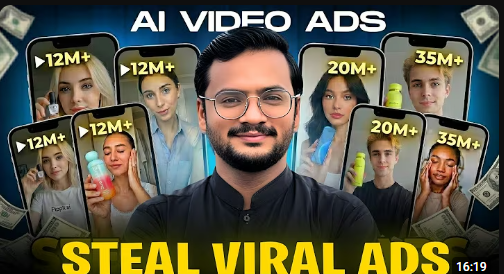
How to Create Viral UGC Ads Using AI Influencers: A 10X Sales Strategy
In today’s digital landscape, UGC (User-Generated Content) is king. But what if you could create professional, high-converting UGC ads without hiring expensive influencers or spending thousands on production?
In a groundbreaking tutorial, Chasmish Tech reveals a step-by-step strategy to create viral AI influencer ads for any brand—whether it’s supplements, clothing, shoes, or beauty products—completely for free.
Why AI Influencers are the Future of UGC
Traditional UGC requires shipping products, negotiating with creators, and waiting for edits. AI influencers allow you to:
-
Produce content 100% free: No creator fees or shipping costs [00:24].
-
Generate organic traffic: Publish daily to Instagram, TikTok, and Facebook to drive sales without ad spend [00:41].
-
Scale rapidly: Create multiple variations of an ad in minutes to test what resonates best with your audience.
The Step-by-Step AI UGC Workflow
1. Source Your Inspiration
Start by finding a professional “face” for your brand on Pinterest. Look for influencers that match your target demographic (e.g., search for “Asian fashion influencer” or “long hair influencer” depending on your product) [04:10].
Pro Tip: Choose an “Asian” style face if you are targeting markets like Pakistan or the UAE to increase relatability and conversion [05:11].
2. Generate Your Unique AI Influencer
To avoid copyright issues, never use a real person’s face directly. Use ChatGPT to transform your inspiration into a unique AI character:
-
Upload the Pinterest photo to ChatGPT.
-
Use a refined “Influencer Generation Prompt” to create a high-quality, professional-looking digital human [06:54].
3. Integrate Your Product
Now, you need the AI influencer to hold your specific product.
-
Upload your AI influencer’s image and a clear photo of your product to ChatGPT.
-
Use the “Product Integration Prompt” to generate a new image where the influencer is naturally holding or wearing your product [12:44].
4. Create the Final Video Ad
The last step is turning your static image into a dynamic, talking video using Google’s Flo AI (a free tool) [14:54].
-
Upload your product-holding image to Flo AI.
-
Add a script or “Video Generation Prompt” that matches your brand’s voice.
-
Set the aspect ratio to 9:16 for mobile-first platforms like TikTok and Reels [15:59].
Get the Prompts
The secret to this strategy lies in the specific prompts used at each stage. Chasmish Tech has shared all the prompts used in this video—including the ones for character generation, product placement, and final video production—inside their WhatsApp Community [02:23].
Watch the full tutorial here: How I Create Viral UGC Ads Using AI Influencers
Ready to 10X your sales? Start building your virtual influencer army today!


Post Comment