The Future of Digital Influence: How to Build a Realistic AI Influencer in Just One Hour
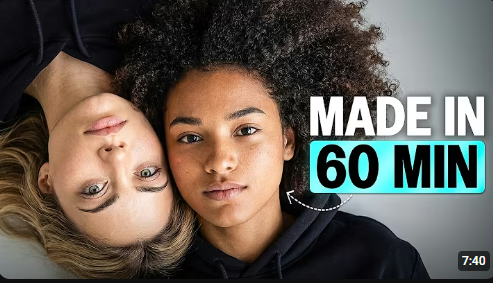
The Future of Digital Influence: How to Build a Realistic AI Influencer in Just One Hour
Have you ever scrolled through Instagram and wondered if that perfectly polished influencer was actually… well, real? The era of the AI influencer is officially here, and it’s no longer just for big-budget tech studios.
In a recent breakthrough guide by Mira AI, we learned that building a realistic, consistent, and vocal AI personality doesn’t take months of coding or thousands of dollars—it takes about an hour. If you’ve ever felt that AI characters look too “plasticky” or fail to stay consistent from one photo to the next, this workflow is the game-changer you’ve been waiting for.
Here is how you can build your own digital persona using the Higsfield AI ecosystem.
Step 1: Crafting the “Character DNA”
The biggest mistake beginners make is jumping straight into generating images. Without a foundation, your influencer will look like a different person in every post.
To solve this, you need a Character DNA—a single master reference image. Using Soul 2.0 within Higsfield, you can define hyper-specific details:
-
Ethnicity and Age
-
Distinctive facial features (eyes, hair texture)
-
Studio lighting preferences
[00:53] This master image becomes the “source of truth” for everything that follows.
Step 2: Creating the Passport (Soul ID)
Once you have your DNA, you need to see your character from every angle. By using Nano Banana Pro, you can generate a character reference sheet including:
-
A front-facing shot
-
A three-quarter angle
-
A side profile
-
A casual lifestyle shot
[01:40] These images are then uploaded to Soul ID, which acts as your character’s “passport.” Whether she’s on a beach in Marrakesh or a rooftop in Tokyo, Soul ID ensures her face remains identical across every generation.
Step 3: Bringing the Character to Life
A static image isn’t an influencer; it’s a portrait. To make them move, the workflow moves into Cinema Studio.
Instead of struggling with complex prompts, you can use motion presets like “Cinematic Walk” or “Dynamic Entry.” [02:28] This allows you to place your character in diverse environments—from hiking trails to sunset dinners—while maintaining perfect visual fidelity.
Step 4: Finding the Voice
The “uncanny valley” often happens when a character opens their mouth, and nothing comes out—or worse, they have a generic, robotic voice.
To create a truly human connection, you must build an Audio DNA using Speak 2.0:
-
Scripting: Write your script directly into the tool.
-
Performance: The AI interprets tone, emotion, and pacing to deliver natural audio.
-
Syncing: Use the LipSync Studio to map the mouth movements frame-by-frame to your video. [04:34]
Step 5: Mastering the Content Formats
Now that you have a consistent face and voice, what do you actually post? The video highlights three high-value formats:
-
The Vlog: Handheld, casual, and filmed with “imperfect” camera movement to feel like a phone recording. [05:22]
-
The UGC (User Generated Content) Ad: A warm, trustworthy tone designed for brand deals and product reviews. [06:11]
-
The Talking Head: Clean framing for educational or announcement-style content that builds authority. [06:43]
Final Thoughts
The barrier to entry for digital creators has never been lower. By combining Soul 2.0, Soul ID, and LipSync Studio, you can move from a blank canvas to a fully functioning AI influencer in the time it takes to watch a movie.
Are you ready to build your digital twin? Check out the full tutorial by Mira AI here to see these tools in action!




Post Comment